

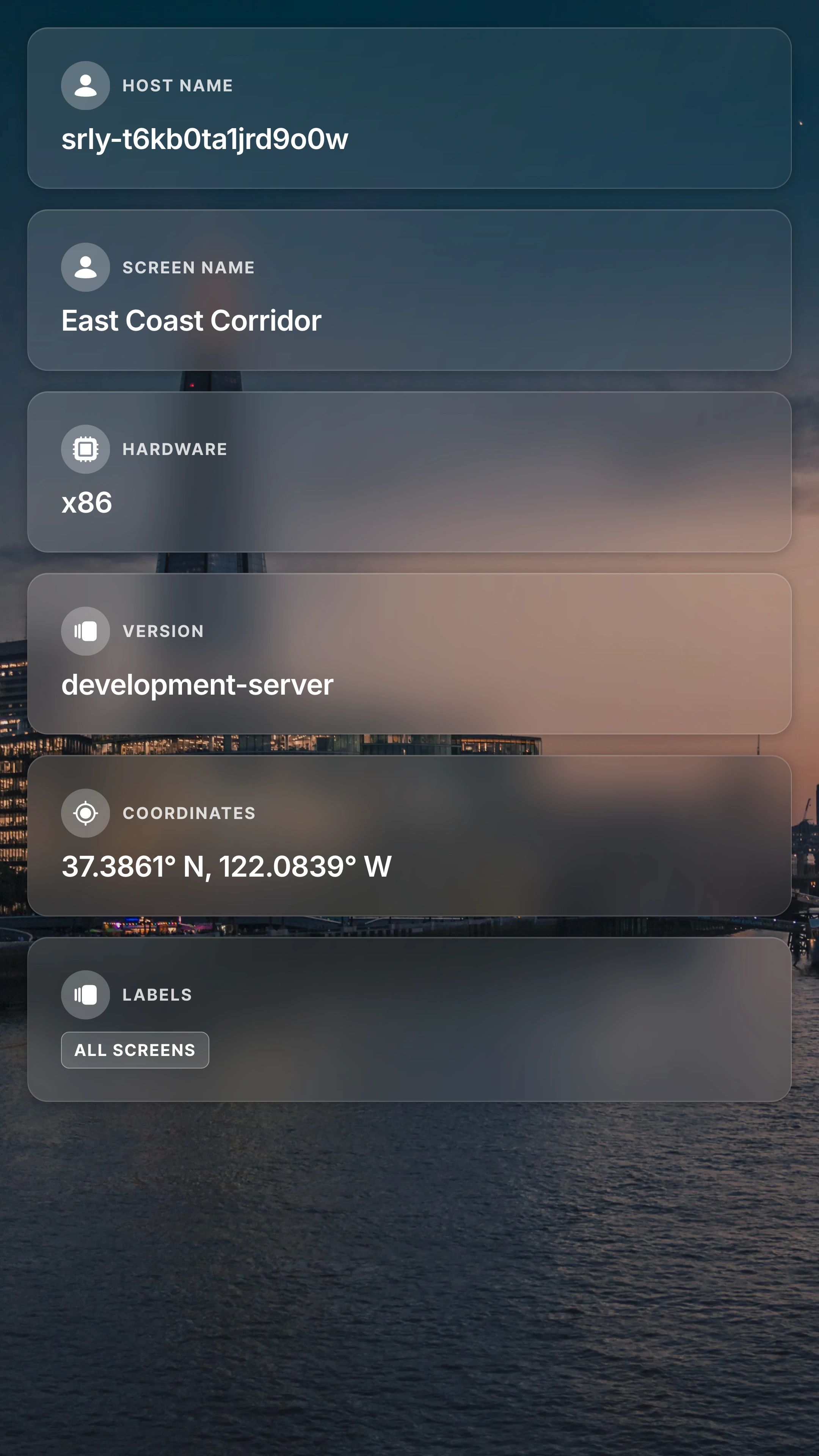
Display key context about each screen directly on signage, including identity, location, system version, and labels.
Make every screen self-describing
The Asset Metadata App helps operators, installers, and support teams see what screen they are looking at without opening the dashboard. By rendering metadata directly on screen, you can quickly verify deployment details, check screen identity, and confirm location-specific configuration in real time.
Why Use the Asset Metadata App?
This app is ideal for provisioning, troubleshooting, and fleet validation workflows. Instead of switching between dashboards and screens, teams can immediately confirm whether the correct screen and metadata are active at the physical location.
What You Can Display
- Coordinates: Show screen coordinates when available.
- Player Hardware Type: Display device architecture such as
x86. - Hostname: Confirm the player’s hostname directly on screen.
- Location: Show the configured location value for each screen.
- Screen Name: Display the
screen_nameassigned in Screenly. - Screenly OS Version: Surface the currently running Screenly OS version.
- Labels: Display labels assigned to the screen for quick identification.