
Create clean, trackable QR codes right from your Screenly Players. Perfect for linking viewers to websites, forms, menus, downloads, and more.
QR Code Generator App

The QR Code Generator App is a simple yet powerful way to display QR codes on your digital signage. Whether your goal is to drive traffic to a website, collect responses through a form, or promote an event, this app makes it effortless to generate and display QR codes in real time.
With optional UTM tracking support, you can also measure how your screens contribute to engagement across different locations.
Key Features
- Generate QR codes as scalable assets optimized for digital signage
- Optional automatic UTM parameter tracking for analytics
- Customizable text (headline + call-to-action)
- Built-in theme color integration via
@screenly/edge-apps - Works instantly on all Screenly Players
Real-Time QR Code Generation
Simply enter a URL and your QR code is generated on the fly. If UTM tracking is enabled, Screenly automatically includes metadata such as screen location and hostname, allowing better attribution for marketing analytics.
The QR code updates immediately whenever you change app settings. No manual uploads required.
Display Options
You can customize two optional text elements:
- Headline — Appears above the QR code (e.g., “Scan to Learn More”)
- Call-to-Action — Displays below the headline (e.g., “Visit our website for details”)
These text elements automatically follow your display’s theme colors for a clean, branded presentation.
UTM Tracking Parameters
When UTM tracking is enabled, the app adds the following analytics tags to your URL:
utm_source=screenlyutm_medium=digital-signageutm_location— Derived from Player metadatautm_placement— Player hostname
This helps your marketing or analytics team understand where scans are coming from.
Create Your QR Code Generator App
Open the Screenly Apps page and select QR Code Generator to create a new instance.
Click the button below to use the QR Code Generator App now
After choosing the app, provide a name for your QR Code App and configure the following settings:
- App Name – Name your app installation
- Call-to-Action (optional)
- Headline (Optional)
- URL to encode
- Enable UTM tracking (optional, available under the Advanced tab)
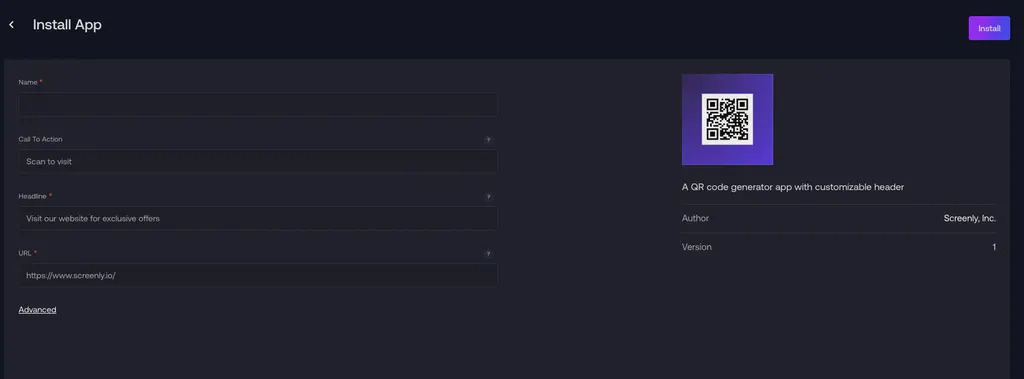
Click Install, and your QR code App is ready to display on your Screenly Players.
Using the QR Code Generator App
Once the app is configured and installed, assign it to a playlist and connect that playlist to a screen. The app automatically displays:
- A crisp, high-resolution QR code
- Optional text (headline + call-to-action)
- Updated URLs with UTM tracking if enabled
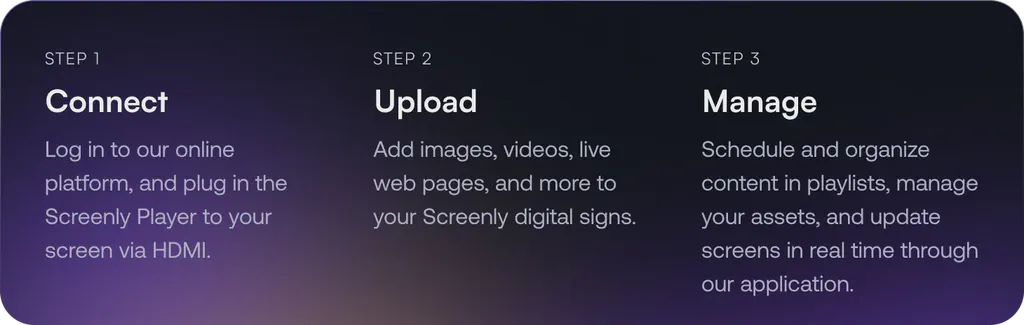
One of many Apps
The QR Code Generator App is part of a larger App ecosystem. With Screenly Apps, users can build custom digital signage content that uses their business or third-party data quickly and easily. With the QR Code Generator App, it’s possible to use it out of the box as is, and it is also possible to customise its styling and the information displayed. Additionally, users can edit triggers for when the App content displays. These triggers can include significant changes to the QR Code Generator App or changes that are expected to cause schedule delays.
Getting started
To get started with the QR Code Generator App, the first step is to get a 14-day free trial account with Screenly. With our 14-day free trial, you can see inside Screenly and determine if the platform makes sense for you.
With Screenly Anywhere, you can launch and display the QR Code Generator App on a web browser without any additional hardware.
More information about setting up the QR Code Generator App can be found in this documentation.
That’s all for now. If you have any questions, we are always happy to help. Reach out to Screenly Support anytime, and we’ll get in touch with you as soon as possible.
