

Airtable is one of the most versatile tools teams use today. Project trackers, inventory sheets, event schedules, onboarding checklists, product roadmaps. If it involves structured data and collaboration, there is a good chance it is already living in an Airtable base somewhere in your org.
The problem is that most of that data stays invisible. It gets updated, it stays accurate, and then it sits in a browser tab that nobody looks at unless they specifically go looking for it.
Today, we’re changing that with the Airtable Dashboard App for Screenly.
What it does
The app connects directly to your Airtable bases and displays them live on your Screenly screens. No exports, no copy-paste, no keeping a slide deck up to date. The data on screen is always the data in your base, refreshed every 30 seconds automatically.
It supports two view types:
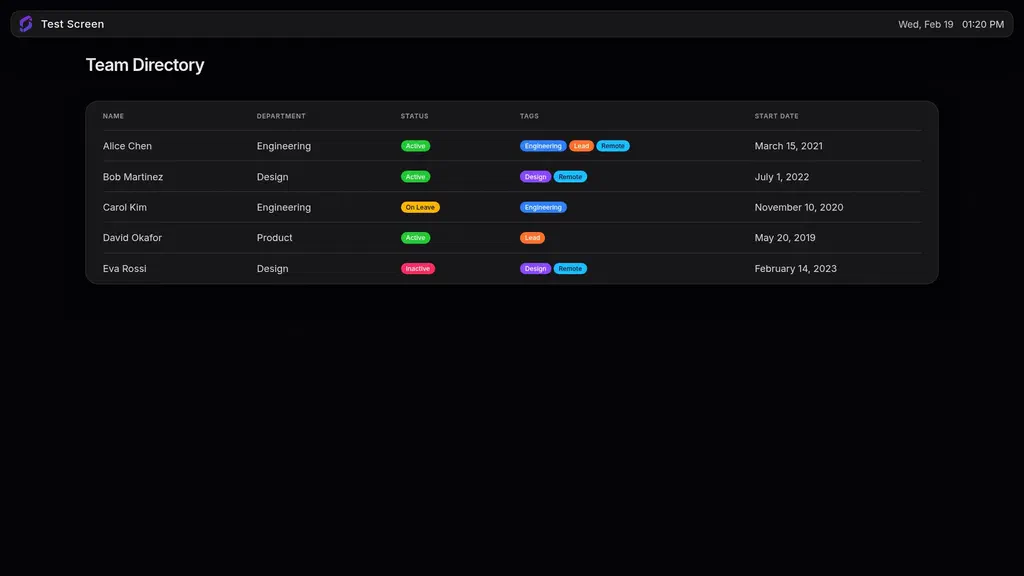
Grid view renders your records as a table, the same structured row-and-column layout you already use in Airtable. It works well for anything that benefits from a scannable list: task statuses, stock levels, upcoming events, team schedules.
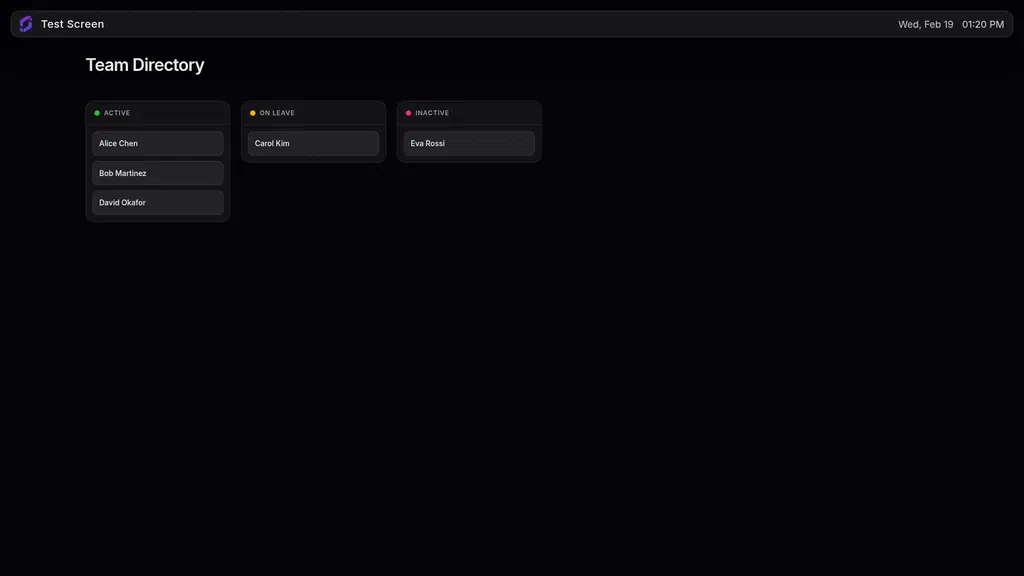
Kanban view renders your records as cards grouped by a field, making it a natural fit for project boards, pipeline stages, or anything status-driven that your team glances at throughout the day.
Both views are supported in landscape and portrait, so the app works on any screen orientation in your space.
How access works
When you connect the integration, Airtable’s OAuth flow lets you decide exactly what Screenly can see. You can grant access to all your bases at once, or limit it to only the specific bases you want on screens. Either way, team members installing the app will only see what you included in that original grant — nothing more.
This is worth calling out because it matters for teams with multiple departments or sensitive data in certain bases. A marketing team can display their campaign tracker without exposing the finance base sitting in the same workspace.
No browser sessions, no exposed accounts
We want to be clear about what the Airtable Dashboard App is not: it is not a browser window pointed at your Airtable account.
This distinction matters more than it might seem. The typical DIY approach to putting a web tool on a screen is to open a browser, log in, and leave the tab running. That leaves a live account session on a shared device in a semi-public space. If the session expires, the screen goes blank. If someone walks up and interacts with it, they are inside a real account. If the device is ever compromised, that account goes with it.
The Airtable Dashboard App is a native Screenly Edge App. It runs on the device, fetches data from the Airtable API, and renders the display itself. There is no browser, no login screen, no Airtable navigation on the wall. The screen shows your data, nothing else.
Authentication is handled through a standard OAuth token issued by Airtable and stored securely by Screenly. Your credentials never touch the screen. Revoking access from within Airtable cuts off the connection immediately.
The source code is fully open on GitHub if you or your IT team want to see exactly how it works.
Setting it up
- Go to Settings > Integrations in your Screenly account and connect Airtable.
- Choose which bases to grant access to during the OAuth flow.
- Open the App Store, install the Airtable Dashboard App, pick a base and a view, and assign it to a screen.
Your bases and views load automatically once the integration is connected. The whole process takes a few minutes.
For a step-by-step walkthrough, visit the Airtable Dashboard App documentation.
Try it today
The Airtable Dashboard App is available now in the Screenly App Store on all plans, for free.
If you’re already on Screenly, go to Settings → Integrations to get started. If you’re new to Screenly, start a free trial and have your first Airtable base on a screen before the end of the day.
Questions about the integration? Contact us at [email protected].