
Welcome to the 8th edition of Screenly Sync, where we share the latest product and community updates from Screenly. July brought a simpler way to schedule content, more flexibility for managing temporary team members, and a couple of ScreenlyOS improvements that make every screen a little more reliable. Here’s what happened.
Product updates
A simpler way to schedule your content
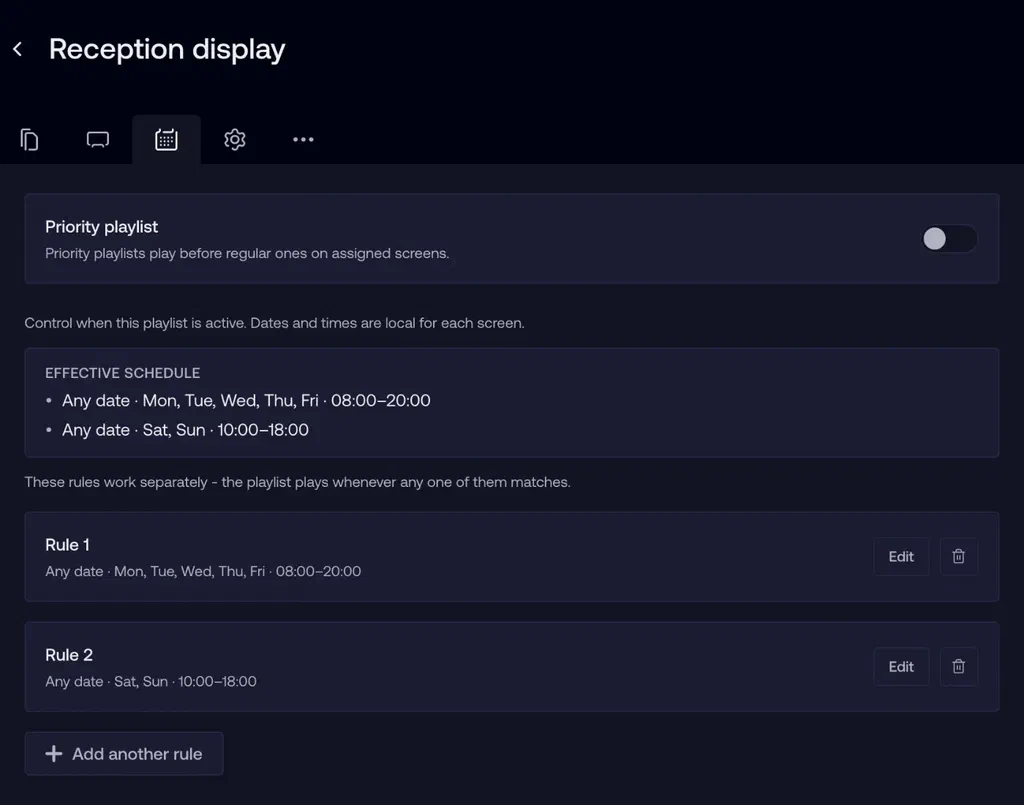
We redesigned the Schedule tab to replace complex condition building with plain, rule based scheduling. Now you describe when content should play using three simple sections: dates, time of day, and days of week, and an “Effective schedule summary” shows exactly when your content will display across all your rules combined. Status badges (Active, Pending, Expired, Never plays) and built in validation help you catch impossible schedules before they go live.
Full blog post: Simpler Way to Schedule Your Content
Temporary workspace members
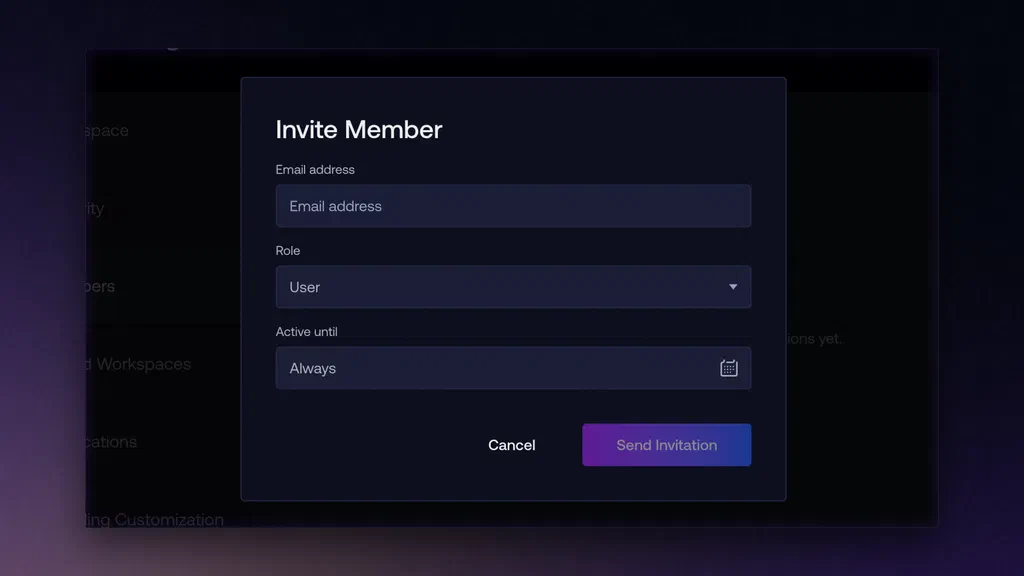
Admins can now set an “Active until” date when adding a workspace member, so access for contractors, seasonal staff, or short term hires expires automatically instead of relying on someone to remember to remove it. Their content and screens stay intact the whole time, and on Starter plans, disabled members no longer count against your seat limit.
Full blog post: Temporary Workspace Members
ScreenlyOS 26.7.0: What’s new
Improved playlist sync
We’ve made playlist sync even faster. When a playlist refresh adds or replaces slides, the new content now reloads right on screen the moment the change happens.
A clearer, more refined Diagnostics screen
The on-device Diagnostics screen (System, Disk, and Network cards) has a fresh new look, with tighter spacing, larger card titles, inline load and temperature rows, and clearer progress bars, making it easier to check a player’s health at a glance.
Community updates
Webinar recording: Getting the most out of digital signage apps
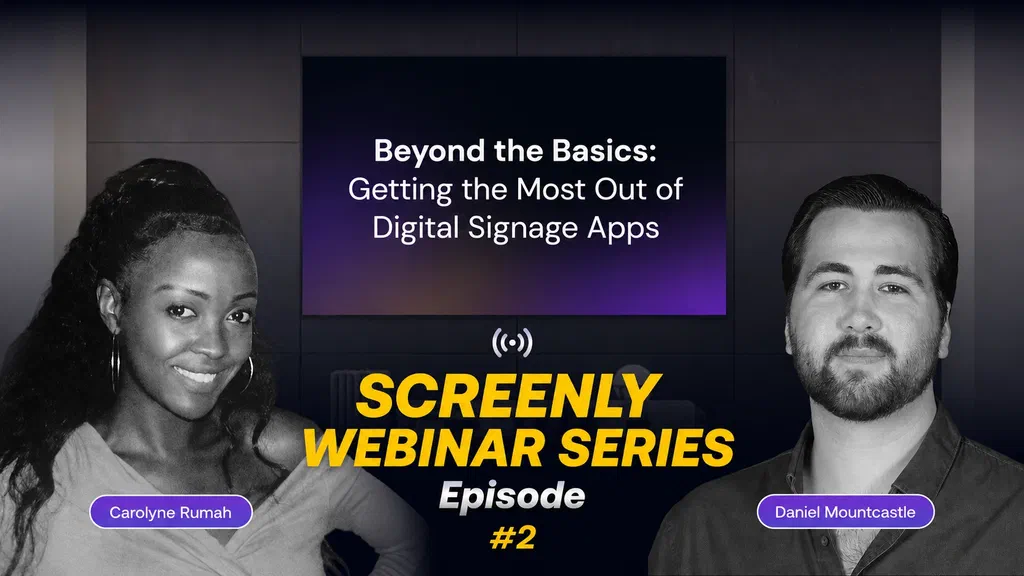
Missed our webinar on getting more value out of your digital signage apps, beyond the basics of just putting content on a screen? Catch the full recording.
Watch: Webinar Recording
New app on signage-apps.com: Menu Board
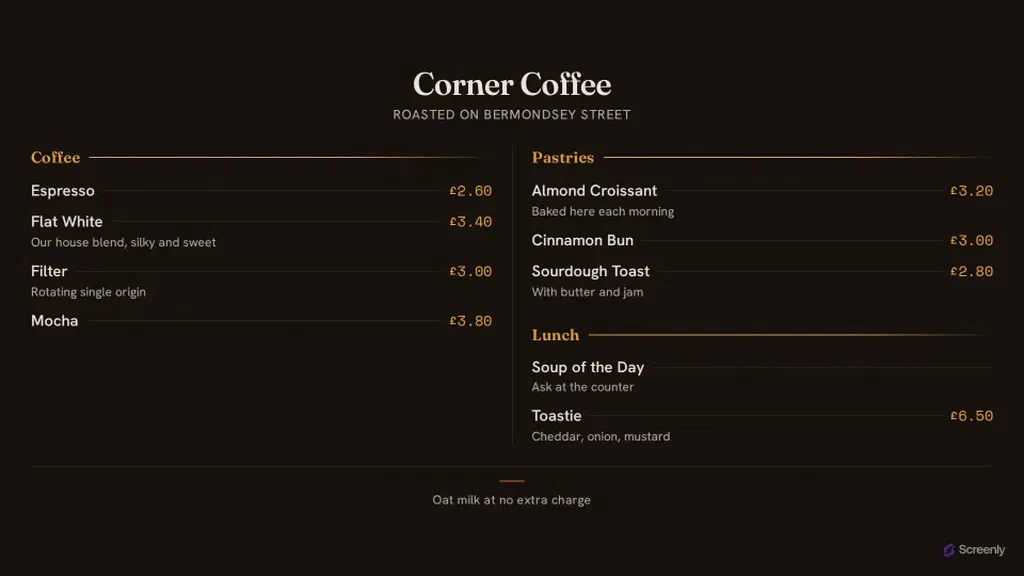
A full-screen menu board for cafes, bars and small kitchens. Group your items into sections, give them prices and an optional line of description, and the board lays itself out and scales to any screen. Everything lives in the settings, so one deployment serves every venue and changing a price takes seconds. There is no dashboard and no account: the whole menu travels in the app link, so changing a price means editing the link and the board updates the next time it loads.
Try it: Menu Board app
There are many more apps listed on signage-apps.com, all free to use.
44CON 2026 sponsorship
Proud to be sponsoring 44CON 2026.
Security is at the core of everything we build at Screenly, so getting behind one of the UK’s leading cybersecurity conferences is a natural fit for us.
Big thanks to the 44CON team for the work that goes into the con, and we’re looking forward to being part of it.
44CON is a Security Conference and Training event, running 17 to 18 September 2026.
More info: LinkedIn post and 44con.com
That wraps up this edition of Screenly Sync. From simpler scheduling to more reliable playlists, July was about making Screenly smoother to run day to day. Thanks for reading, and see you in the next Screenly Sync.