
Financial data moves fast. Prices update by the second, sentiment shifts before you finish your coffee, and the market never waits for anyone to refresh a browser tab.
Most teams that care about market data already have TradingView open somewhere. It is the go-to platform for live charts, heatmaps, and price tracking. But that data lives on individual workstations, and getting it onto a shared screen (without someone babysitting a laptop) has always been harder than it should be.
Today, we are changing that with the TradingView Widgets App for Screenly.
What it does
The app pulls live market data from TradingView and displays it on your Screenly screens in real time. No browser sessions to manage, no slides to update, no custom code to write. You pick a widget type, configure it to your symbols and preferences, and assign it to a screen.
It supports four widget types out of the box.
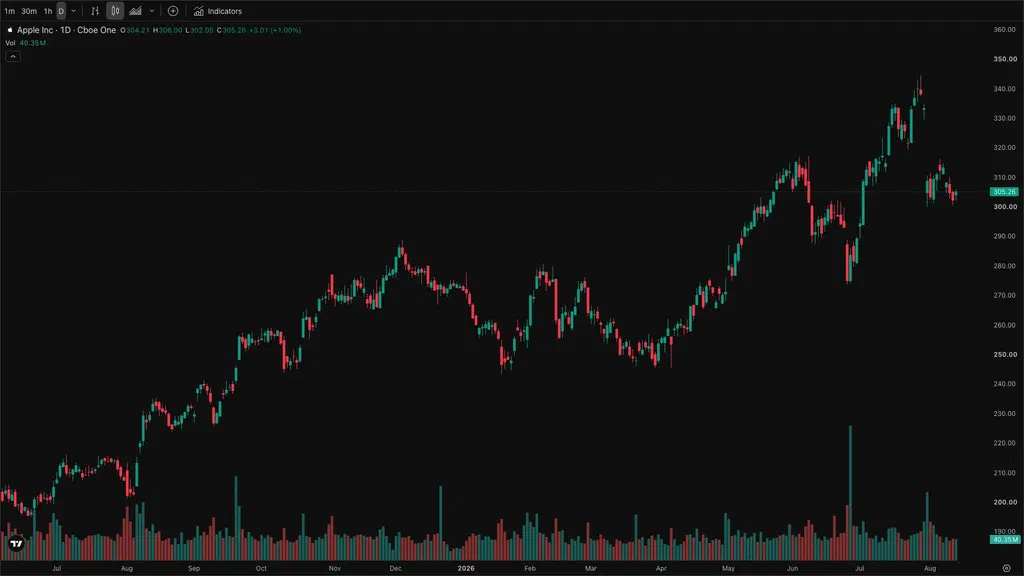
The Advanced Real-Time Chart is the full TradingView charting experience adapted for signage. It supports customizable intervals, chart styles (candlestick, bar, line, area), and toolbar controls, making it the right choice for trading floors or any environment where the detail matters.
The Symbol Overview displays a single asset as a clean area chart with current pricing. It is purpose-built for signage displays where you want a tight, readable view of one ticker without the surrounding interface.
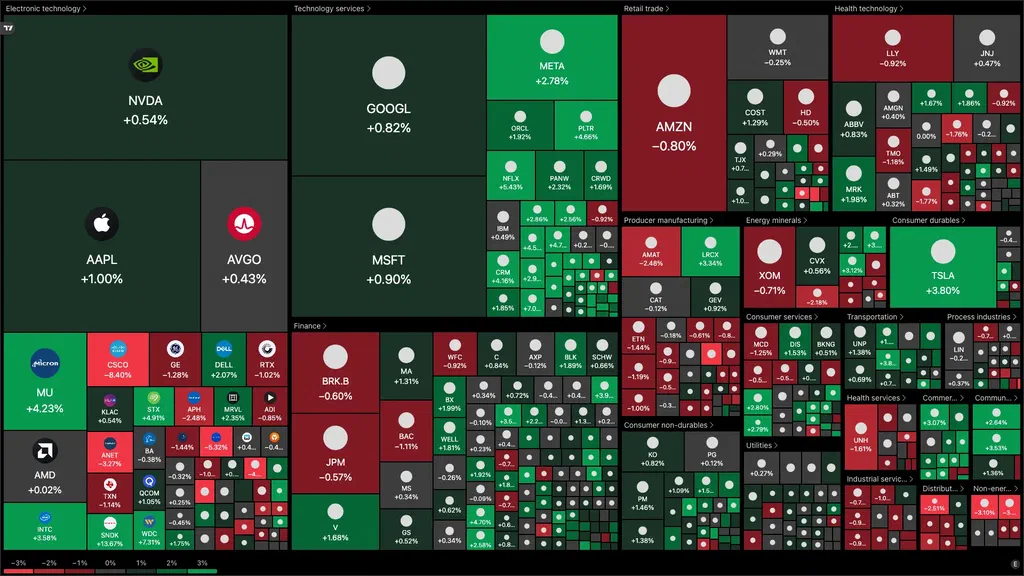
The Stock Heatmap visualizes entire market sectors or indices (S&P 500, Nasdaq 100, and others) by performance. At a glance, your team can see which corners of the market are moving and in which direction.
The Crypto Heatmap does the same for digital assets, giving you a market-wide overview of crypto performance in a format that reads well from across a room.
All four widget types work in both landscape and portrait orientation, so the app fits whatever screens you already have in place.
What you can configure
Every widget ships with the settings that matter most in a signage context. You can choose between dark and light color themes, set your preferred locale with a standard language code, and lock the displayed symbol or allow viewers to change it on the fly.
For the chart widgets, you control the default interval, chart style, and whether the legend and toolbar are visible. If something is not rendering the way you expect, you can switch on error display to see what is happening without touching the underlying code.
Symbol configuration uses the standard TradingView exchange format (NASDAQ:AAPL, BINANCE:BTCUSDT, and so on), so if you are already a TradingView user, nothing about the setup will feel unfamiliar.
No accounts, no sessions on the wall
The TradingView Widgets App does not log into TradingView on your behalf. There is no browser window being kept open on the device, no account credentials stored anywhere near the screen, and no risk of someone walking up and interacting with a live TradingView account.
The widgets run through TradingView’s public embed API, which means the data is live but the surface area is minimal. Your screens display the market data. Nothing else.
This matters in shared spaces like offices, reception areas, and trading floors, where leaving a logged-in account running on a display is not something you want to do. The app sidesteps that entirely.
The source code is fully open on GitHub if you or your IT team want to verify exactly how it works.
Setting it up
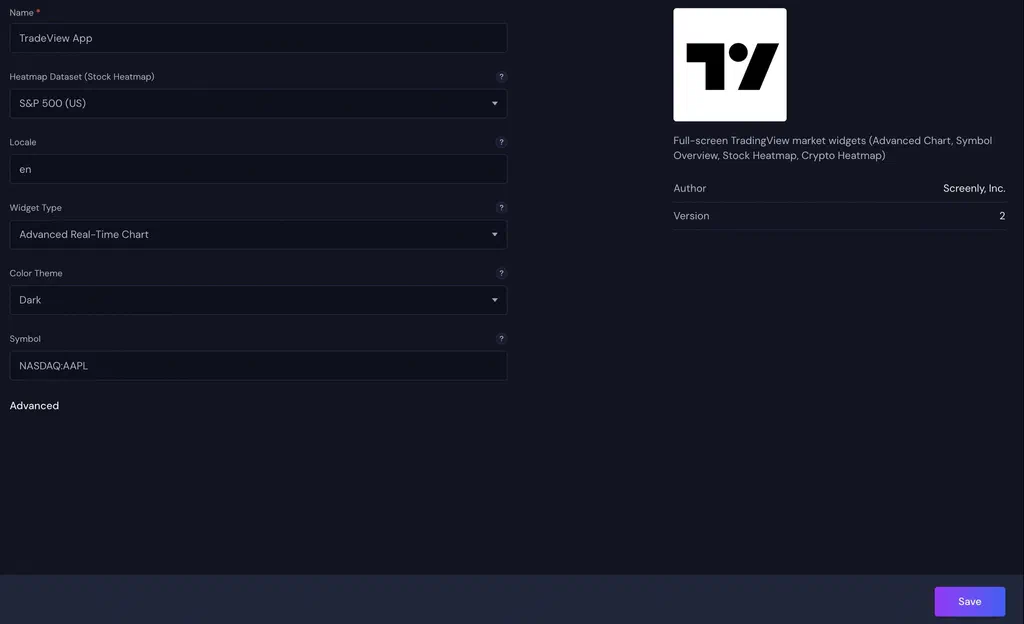
- Open the Screenly App Store and install the TradingView Widgets App.
- Choose your widget type, symbol, theme, and any optional settings.
- Add it to a playlist and assign the playlist to your screen.
That is the whole process. Most installs take under five minutes. For a step-by-step walkthrough, visit the TradingView Widgets App documentation.
Try it today
The TradingView Widgets App is available now in the Screenly App Store, free on all plans.
If you are already on Screenly, head to the App Store to get started. If you are new to Screenly, start a free trial and have live TradingView charts on your screens before the end of the day.
Got questions? Reach out to us [email protected]. We are happy to help.