
Welcome to the 9th edition of Screenly Sync, where we share the latest product, security, and community updates from Screenly.
August was a busy month: we shipped a new app, picked up an important security certification, and kept both ScreenlyOS and our open source projects moving forward. Here’s everything worth catching up on.
Product updates
August brought a set of Screenly changes and improvements:
- Sign-in now opens a lobby that lists your workspaces. If you belong to more than one, you pick the right one up front instead of discovering later that you edited the wrong account.
- The top navbar is gone. A sidebar handles navigation, and workspace and account settings follow the same design as playlists and screens, so moving around Screenly takes less hunting. Apps and installations now live in their own sections.
- Playlists have an empty state on the Screens tab, so it is obvious when nothing is assigned yet. Transitions now show as preview cards, which makes it easier to see how slides will follow each other before they go live.
- Edge App settings can stay hidden until they apply, and you can set the order they appear in, so install screens stay shorter. Grafana shows a warning on the install page if it cannot render a dashboard image, which catches a blank screen before you deploy it.
- Screen details now show the correct device name and image, which helps when you are managing a mixed fleet. Time on screen follows the device locale, 12-hour or 24-hour, so clocks match how people in that location actually read the time.
- System labels are gone except All Screens, which cuts the extra tags that used to clutter every workspace. Search no longer lists empty folders, SVG icons render correctly in Safari, and non-English screen names stay intact in playlists.
TradingView widgets app: Live TradingView charts on your screens
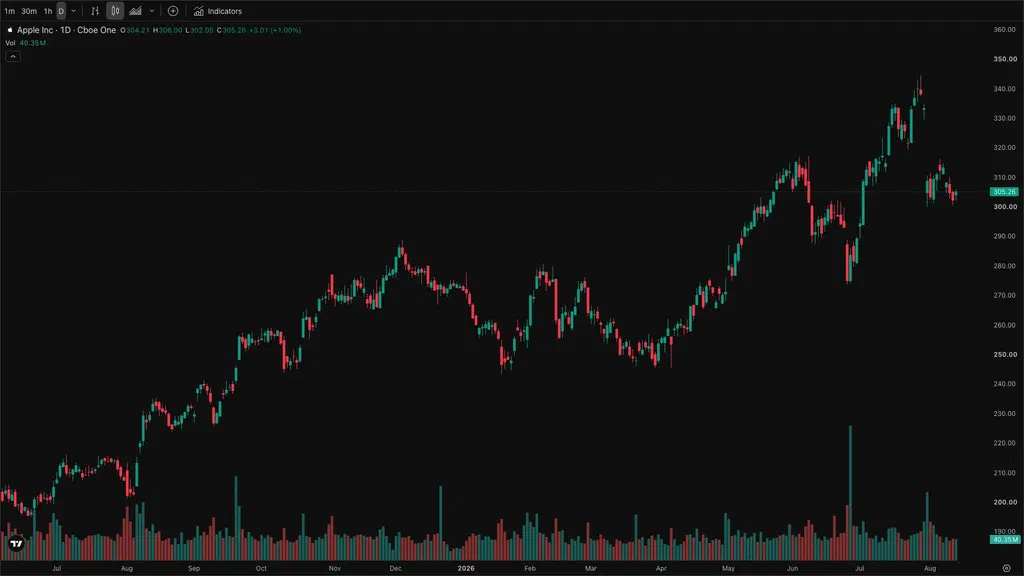
Trading floors, fintech lobbies, and finance offices can now pull live market data straight onto their Screenly displays with the new TradingView Widgets App.
It supports four widget types:
- An Advanced Real-Time Chart with customizable intervals and styles
- A Symbol Overview for clean single-asset pricing
- Stock and Crypto Heatmaps for a market-wide view
Everything runs on TradingView’s public embed API, so there’s no login and no account credentials sitting exposed on a shared display. Setup takes under five minutes using TradingView’s standard symbol format (for example, NASDAQ:AAPL). The app works in both landscape and portrait orientations, the source code is open on GitHub, and it’s free on all Screenly plans.
Full blog post: Live TradingView charts on your screens
Slack Messages app: Bring your Slack announcements to your screens
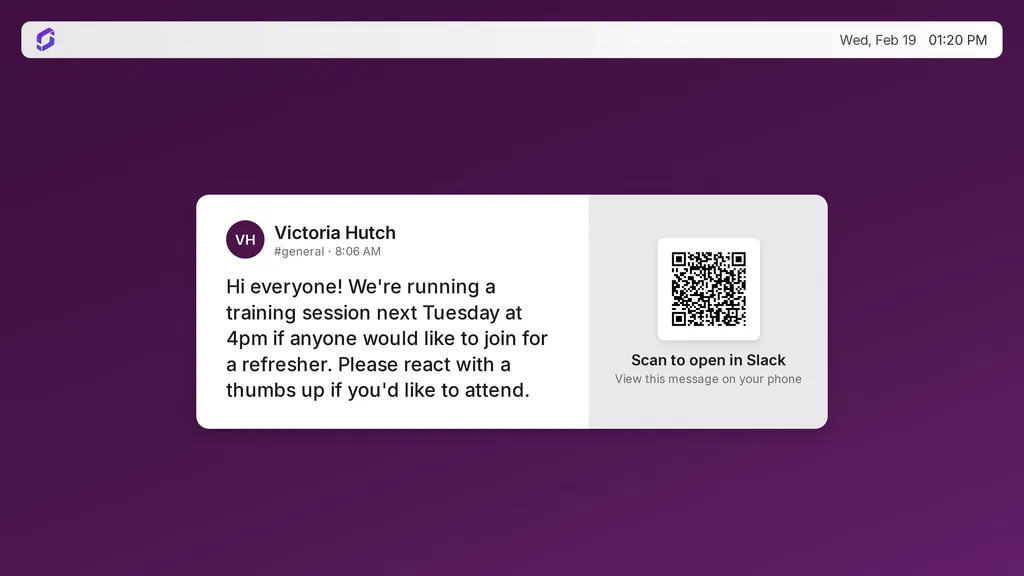
Slack updates don’t have to stay stuck in a channel. The new Slack app lets you pull announcements straight onto your Screenly displays, so anything your team posts in Slack can show up on the screens around your office without extra setup work. When you install the app, you pick the channel from a dropdown, no channel IDs to look up.
Full blog post: Bring your Slack announcements to your screens
ScreenlyOS and CLI
ScreenlyOS 26.8.0
ScreenlyOS 26.8.0 is out now and rolling out automatically to devices in the field, no action needed on your end.
This release focuses on stability improvements and performance enhancements, so screens stay more reliable in day-to-day use.
Screenly CLI now follows CalVer
The Screenly CLI is moving to calendar versioning (CalVer), matching the approach we already use for Anthias releases. Instead of chasing semantic version bumps, CLI release numbers will now reflect the year and month they shipped.
That makes it easier to tell at a glance how current your CLI install is, which helps us give faster support when something in a script or workflow is off.
More info: Screenly CLI on GitHub and CLI documentation
Screenly Cast for WordPress gets a revamp
Screenly Cast turns a regular WordPress site into a simple digital signage source. Append ?srly to any post or page URL and it renders full screen for displays, with no navigation or sidebars. Recognized players, including Screenly, Anthias, and BrightSign, are detected automatically and redirected to that view.
The plugin had been neglected for years and stopped working reliably on modern WordPress. The team has now rebuilt it, and it is still open source and open to community contributions.
If you run digital signage off a WordPress site, it’s worth a look: wordpress.org/plugins/screenly-cast/.
Security and trust
Screenly is now ISO/IEC 27001:2022 certified
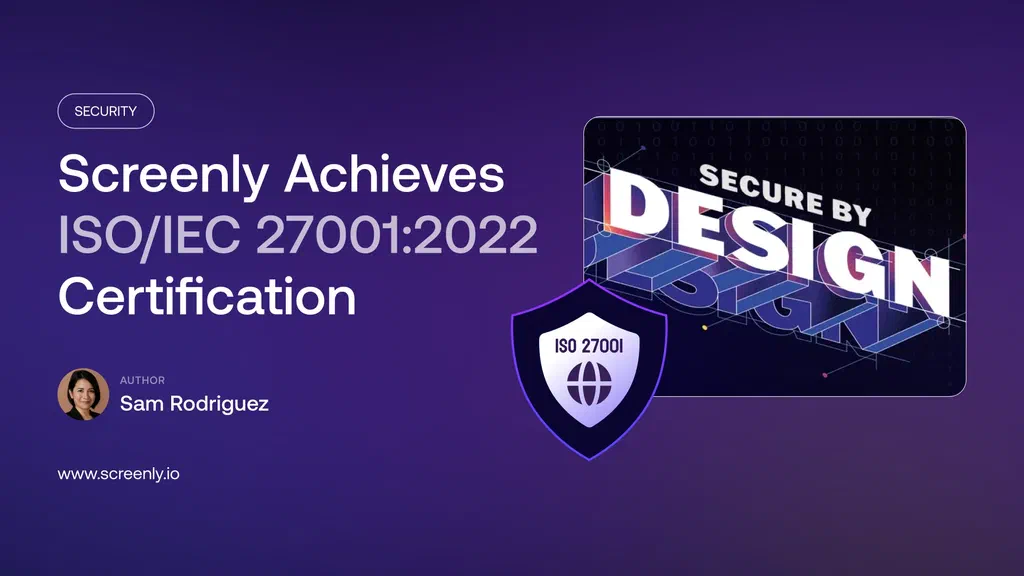
Screenly has achieved independent certification against ISO/IEC 27001:2022, the international standard for information security management systems. An accredited third-party auditor, Glocert International Certifications, reviewed our cloud infrastructure, device software, APIs, and support operations, not just our own claims about them.
This certification now gives customers independently verified evidence of that posture alongside our existing SOC 2 Type II reporting.
Full blog post: Screenly achieves ISO/IEC 27001:2022 certification
Community updates
Screenly webinar series #3: Locked out and locked in
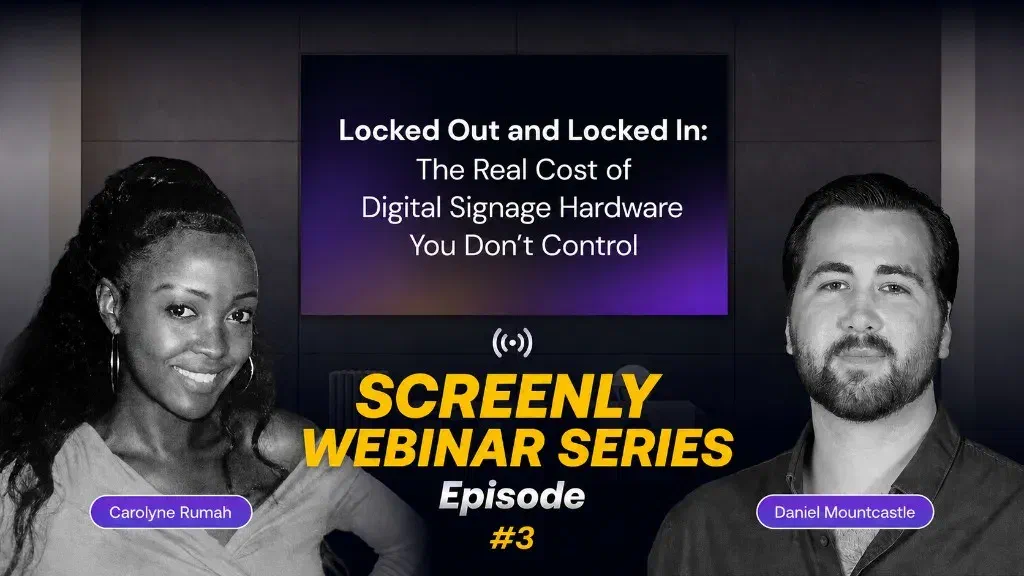
Join us Thursday, September 10 at 12 PM ET for episode 3 of the Screenly webinar series, hosted by Carolyne Rumah and Daniel Mountcastle: Locked out and locked in: The real cost of digital signage hardware you don’t control.
Hardware lock-in is one of the most frustrating parts of digital signage, especially when it’s time to upgrade or change vendors. We’ll cover what it really costs, why flexibility should be a priority, how running Screenly on hardware you already own can cut costs, and how companies still on Scala can run Screenly on that existing hardware.
Register: Grab your spot
New Anthias releases: v2026.08.1
Anthias, our open source digital signage project for Raspberry Pi and x86, keeps shipping on its monthly CalVer cadence. Anthias v2026.08.1 is out now. Highlights include:
- A rebuilt HDMI-CEC stack that talks to the kernel directly, so adapter discovery works on boards with more than one display port
- A new display schedule that can turn the attached TV on and off on a timetable, with passthrough fixed
- Oversized JPEG and PNG uploads downscaled on low-RAM devices, so large photos no longer exhaust memory on 1 GB and 512 MB boards
- Array-valued app settings that render correctly, so Menu Board installs with its menu instead of coming up empty
- A viewer that fails fast when it loses the display, quieter Sentry and journal logs, and telemetry that now reports the release version
As always, the master branch remains the testing channel, with monthly builds marked stable.
Full release notes: Anthias v2026.08.1
Screenly joins the IoT Security Foundation
Screenly is now a member of the IoT Security Foundation (IoTSF), joining a community of security-focused technology providers working to advance IoT security practices across regulated industries.
It’s a natural fit alongside our SOC 2 compliance, our signed commitment to CISA’s Secure by Design pledge, and the new ISO 27001 certification above. It reflects the same security-first approach we bring to the 10,000+ screens we manage across 75+ countries.
More info: IoTSF membership announcement
That wraps up this edition of Screenly Sync. Between a new app, a fresh security certification, an IoTSF membership, and steady progress on ScreenlyOS, the CLI, and Anthias, August kept the whole team busy. Thanks for reading, and see you in the next Screenly Sync.