Company
Screenly Sync 0x10: November updates from Screenly

Welcome to the 11th edition of Screenly Sync, where we share the latest product, app, and community updates from Screenly.
October brought a free Screenly Player with every new yearly screen license, screenshots on demand, label pages, 4 new apps, redesigns of 4 favorites, and our annual summit in Kerala. Here's the rundown.
The hardware's on us: a free Screenly Player

From October 19, 2026, every new screen license you pay a full year for on a Business or Enterprise yearly plan comes with a Screenly Player. It's 1 Player per license, and it's yours to keep. You pay shipping and tax, and for now we ship within the US only.
The Player is a Raspberry Pi 5 in a Screenly case with ScreenlyOS already installed and the cables in the box. Connect power and a screen, enter a short code in your workspace, and your content starts playing. After that it keeps itself up to date, and you manage it from your dashboard.
Most people starting with digital signage know what they want on the screen. The hard part is choosing the player. We'd rather you skip that.
Read more: Now you can get a free Screenly Player, with the full terms on the free digital signage player page.
Product updates
Screenshots on demand
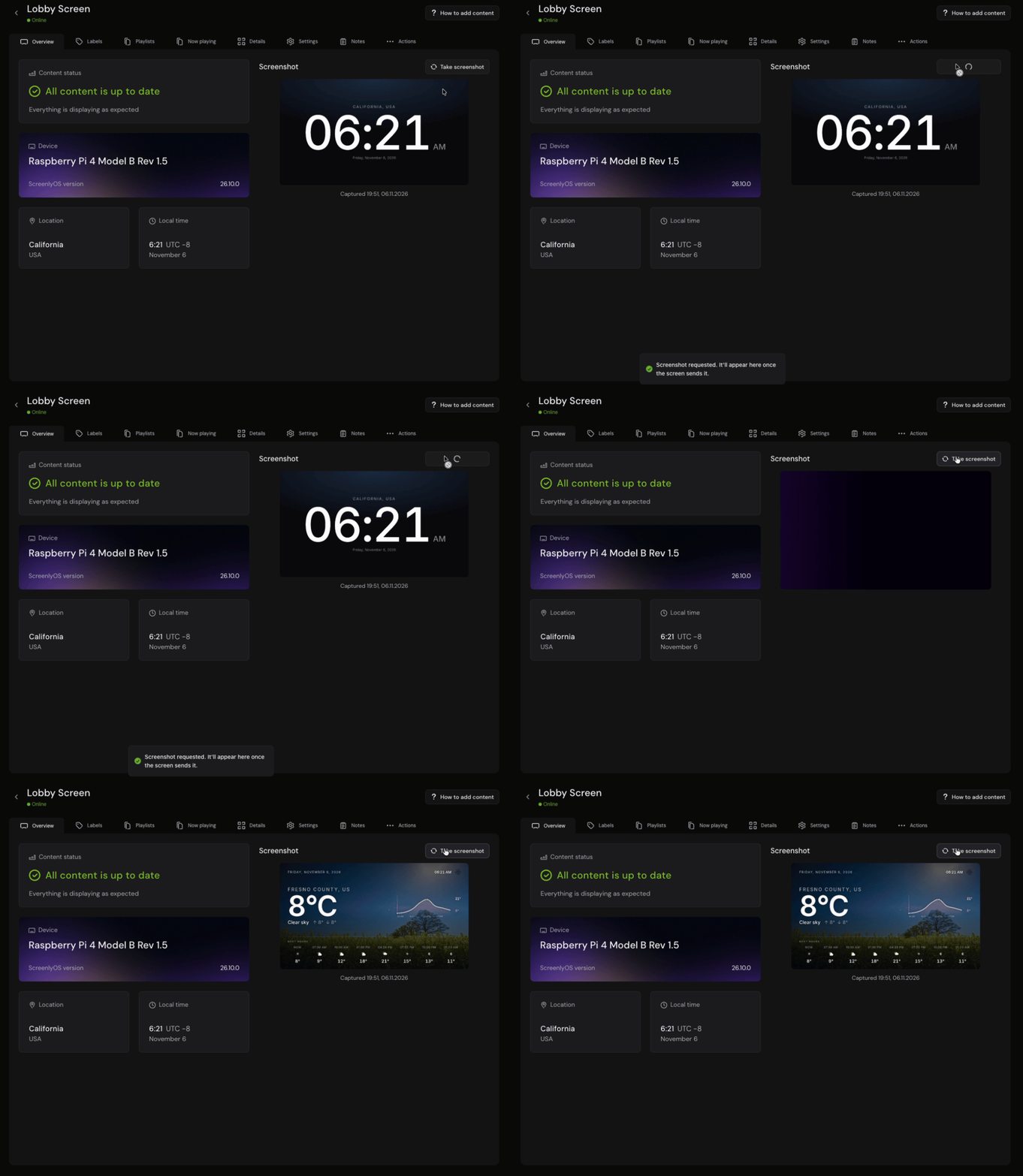
Changed a playlist and want to know whether the lobby screen picked it up? The "Screenshot" card on a screen's Overview now has a "Take screenshot" button. The screen captures what it's showing at that moment, and the new screenshot appears on the page as soon as it arrives, instead of waiting up to 15 minutes for the next automatic one.
It works on screens that are online and not in privacy mode, running ScreenlyOS 26.9.0 or newer.
Labels have their own pages
A label is how 1 playlist reaches the right 40 screens, and now labels have a page of their own, in the sidebar between Screens and Playlists. It lists every label with how many screens carry it and how many playlists it plays.
Open a label to add or remove its screens and playlists, rename it, or delete it. Before you delete one, the dialog tells you exactly what will change on your screens, so a label can't take content off a screen by surprise.
A new Playlists tab on every screen
Open a screen and the "Playlists" tab lists every playlist assigned to it and how each one gets there: directly, through a label, or both. You can tell at a glance what a screen should be playing, without opening playlists one by one or working backward from labels.
Power off a screen from the dashboard
Sometimes a screen needs to be off, not restarted, like one in a store that's closing for a refit. A new "Power off" action sits next to "Reboot" on a screen's "Actions" tab, for online screens running ScreenlyOS 26.8.0 or newer.
Room for much longer screen notes
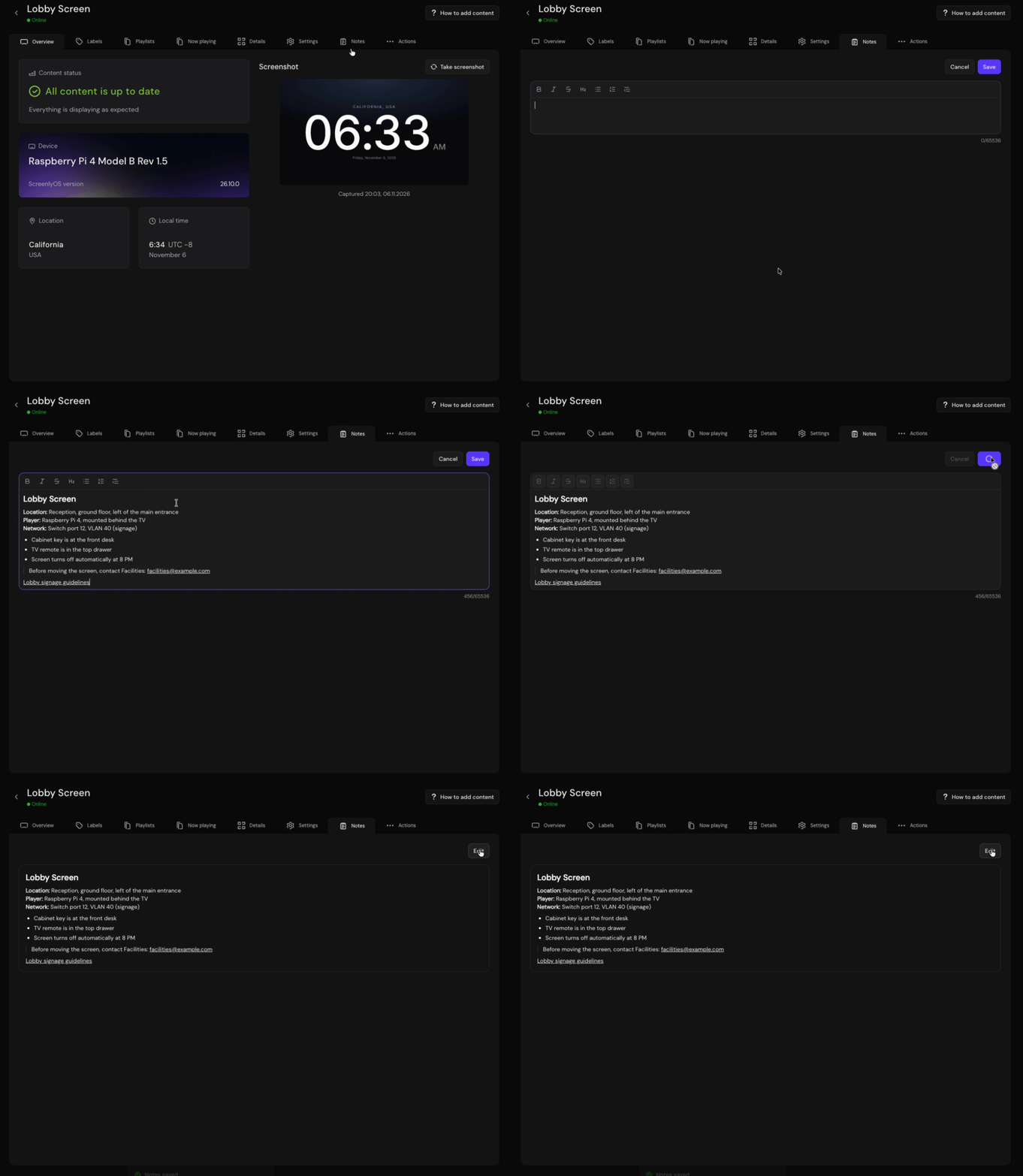
Screen notes now have a tab and an editor of their own, with headings, lists, quotes, and links, and room for up to 65,536 characters instead of 255. It's a good place for which cabinet the player sits in, who has the key, and which switch port it's plugged into.
ScreenlyOS 26.10.0
ScreenlyOS is the operating system that runs on every Screenly Player, built to keep your screens secure and running without anyone having to look after them. There's nothing you need to do to get this release: players update themselves automatically.
ScreenlyOS 26.10.0 brings:
- Press F8 on a player to see its model, serial number, IP and MAC addresses, and whether secure boot and disk encryption are on, next to the QR code
- A screen keeps showing what it had while a single new item loads, instead of going black
- Audio on a Raspberry Pi plays through the port the display is connected to
- Optimizations for video playback on LED screens
Earlier in October, ScreenlyOS 26.9.0 switched Bluetooth off on players by default and let an app with nothing to show skip its turn in the playlist.
Everything we ship, in one place
All of these updates, and every release before them, are now on our new release notes page: what has shipped across Screenly, newest first. Follow along by product, including the Screenly dashboard and ScreenlyOS, or subscribe to the RSS feed.
New apps
Earthquake Map App
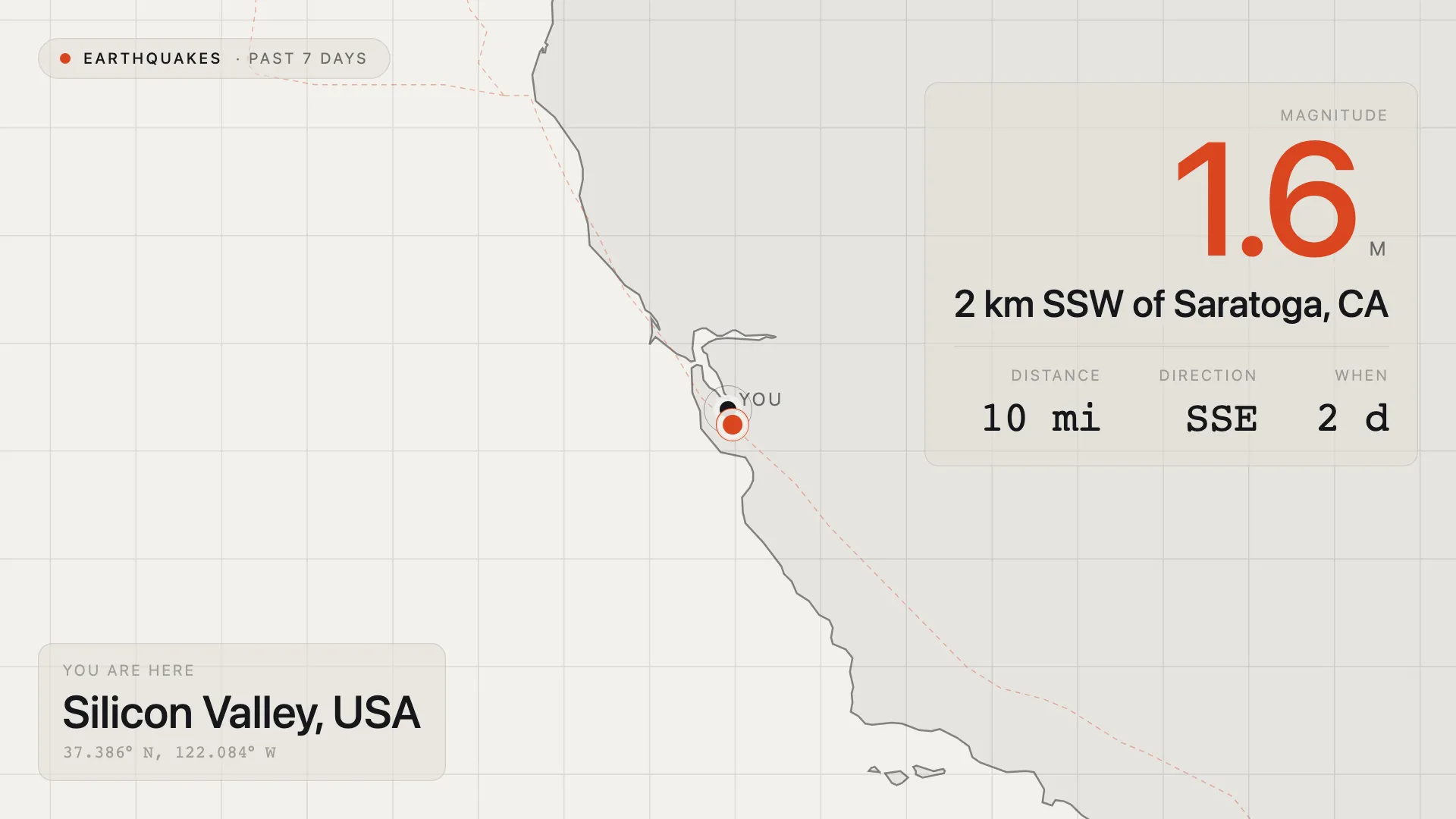
A map centered on your screen's location, or any place you choose, calling out the nearest earthquake from the past 7 days. It shows the magnitude, where it happened, how far away it is, in which direction, and how long ago, with tectonic plate boundaries drawn over the map.
It's a natural fit for lobbies, classrooms, science centers, and control rooms in seismically active regions.
Try it: Earthquake Map app
Frankfurter Exchange Rates App
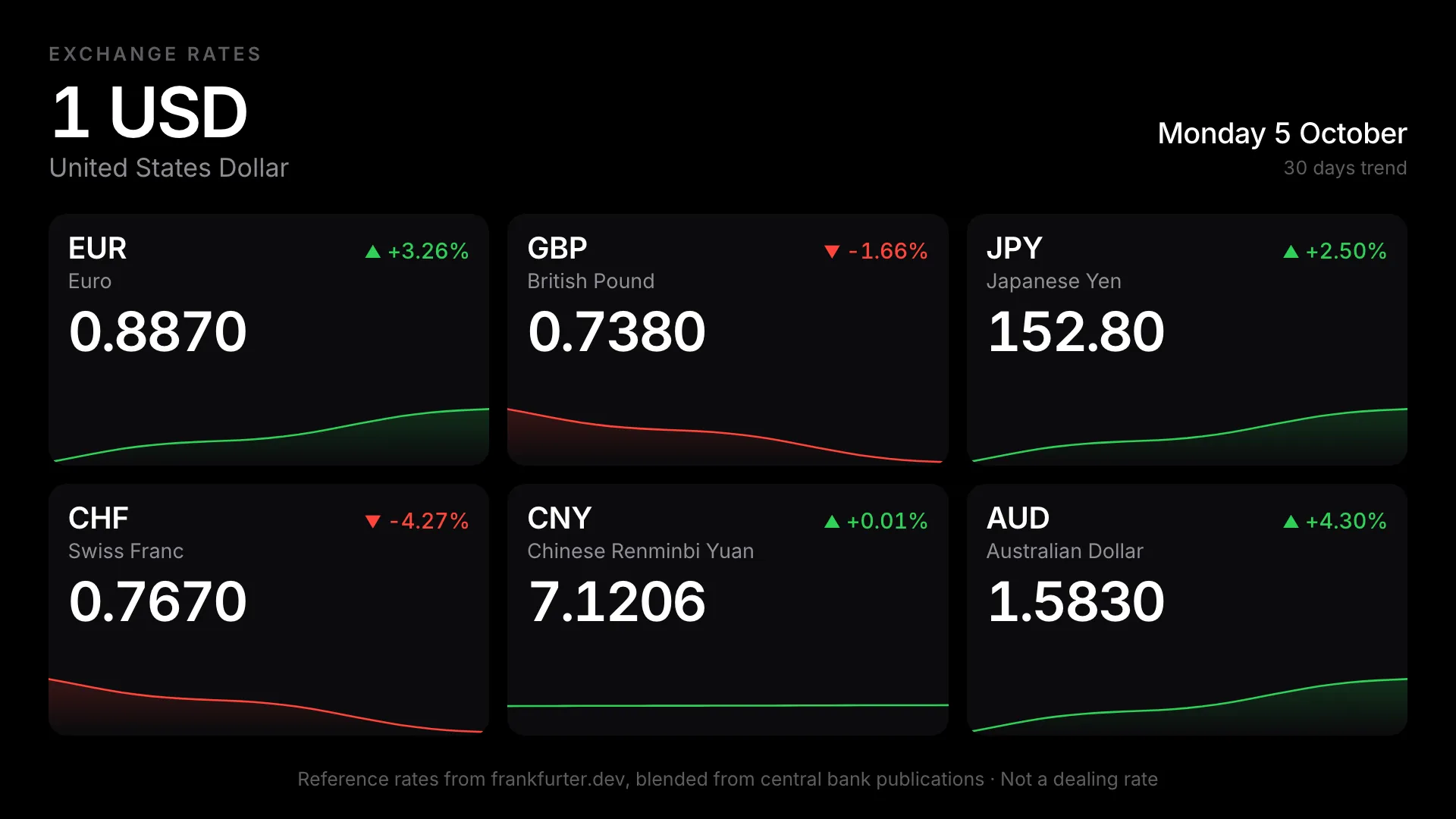
Daily currency exchange rates from central banks, for a hotel lobby, an airport hall, or a bureau window. One base currency sits across the top, with a card for each currency showing its rate, how far it has moved, and a trend line. It needs no API key and no account.
Try it: Frankfurter Exchange Rates app
Meal Schedules App
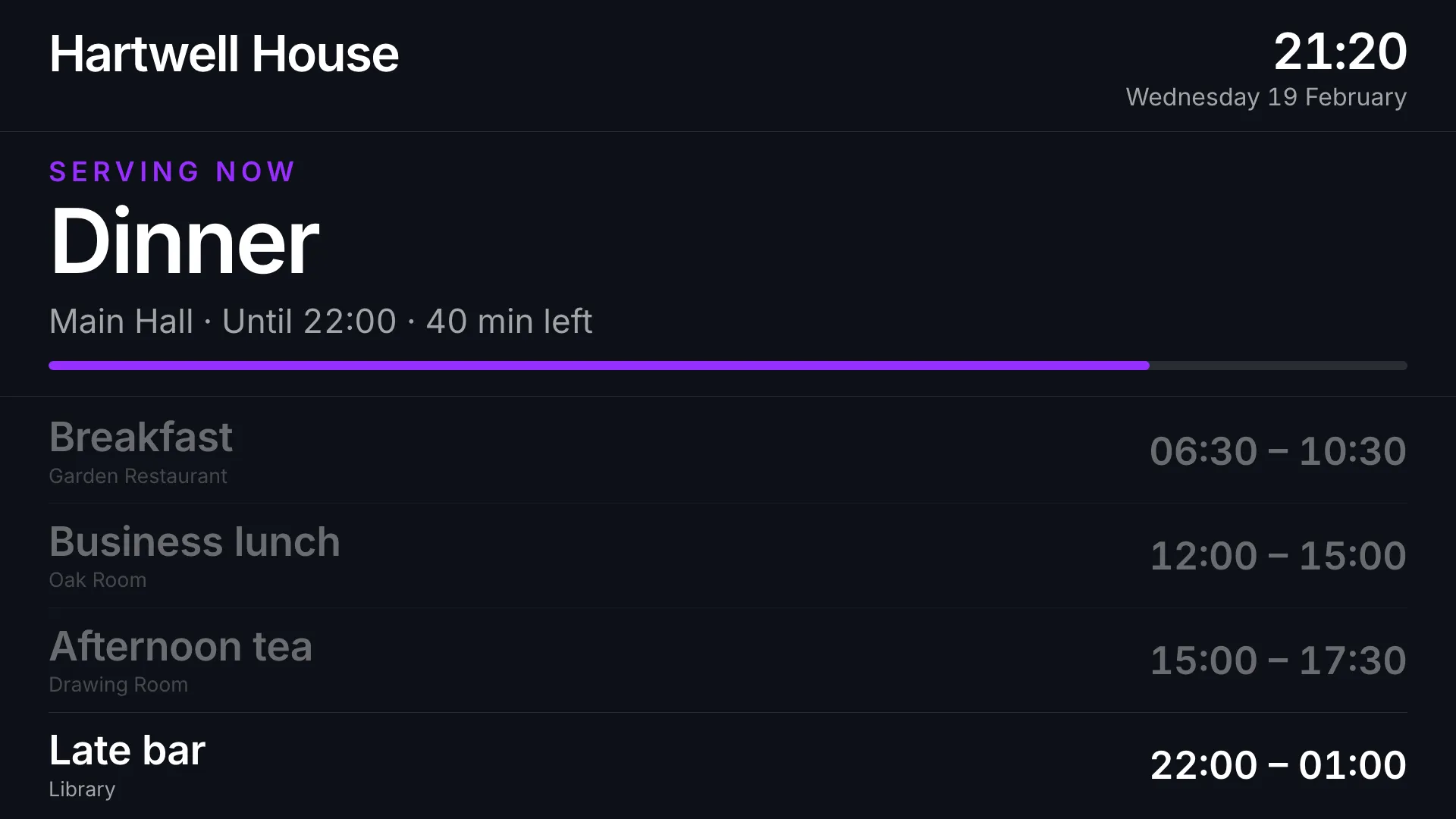
Meal service times for hotels and restaurants, sized to read from across the room. It answers the question a guest actually has, "can I eat now?", with a banner naming what's being served and how long is left, or what's next and when.
Try it: Meal Schedules app
Four favorite apps, redesigned
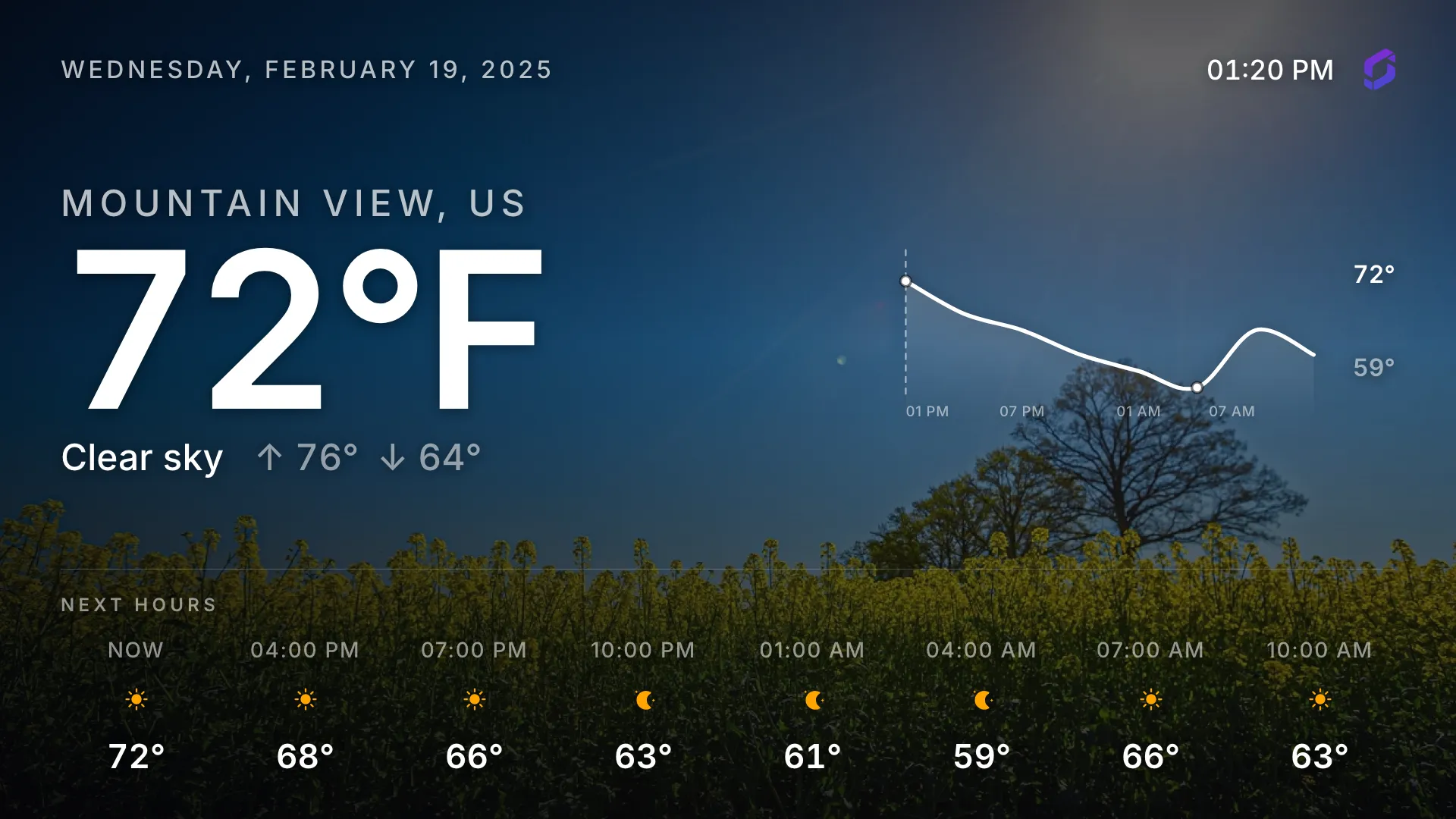
The Weather, Menu Board, Calendar, and Clock apps all have a completely redesigned look and several improvements in v26.10.0. Thanks to Luc for the work on these.
- Weather: the background now matches the sky outside (rain, clear blue, cloud, or snow), with a temperature graph and forecasts every 3 hours for the next day
- Menu Board: up to 12 dishes, set out as a printed-style menu in Traditional, Modern, or Minimal style
- Calendar: what's on now or next fills one side of the screen, with the rest of the agenda grouped by day
- Clock: Traditional, Modern, and Minimal styles, with the date and time format following the screen's language
New app on signage-apps.com: Missing Children
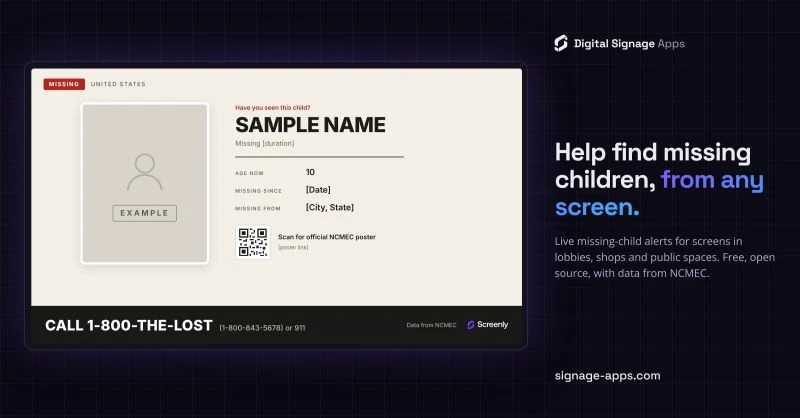
Any screen seen by hundreds of people a day can help bring a missing child home: Missing Children shows a live open case from the National Center for Missing & Exploited Children (NCMEC), with the child's photo, where they went missing, and the 1-800-THE-LOST hotline. It's free on signage-apps.com and runs on any player that can show a web page, so if a screen has a spare slot in its playlist, consider giving it to this one.
Add it to your screens: Missing Children app
Community updates
Screenly Changelog Episode 20

Viktor Petersson and Daniel Mountcastle sat down with Mark McDermott, co-founder and former CEO of ScreenCloud, to talk digital signage security, cheap hardware, and what the screen is really for. Both companies were built on the bet that cheap consumer hardware could replace the PC behind every screen, and the conversation looks at how that bet holds up a decade later.
Listen: Screenly Changelog Episode 20
Viktor named in the CTO Craft 100
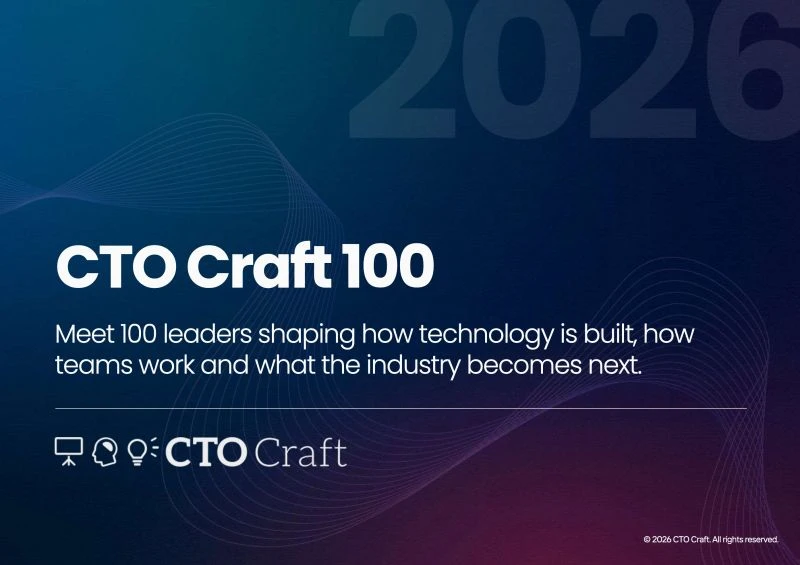
Congratulations to our CEO, Viktor Petersson, who has been named in the CTO Craft 100 for 2026, for the work at Screenly and sbomify.
Well deserved, Viktor. Read the announcement on LinkedIn.
At the Raspberry Pi Partner Event

We were at the Raspberry Pi Partner Event, talking modular compute and where the platform goes next with signage partners, display manufacturers, and industrial customers. Our history with the Pi goes back to 2012: it's the hardware that let us scale a digital signage business out of a garage, and it still runs inside the Screenly Player today.
Screenly at GDG Chennai and Ubucon India 2026
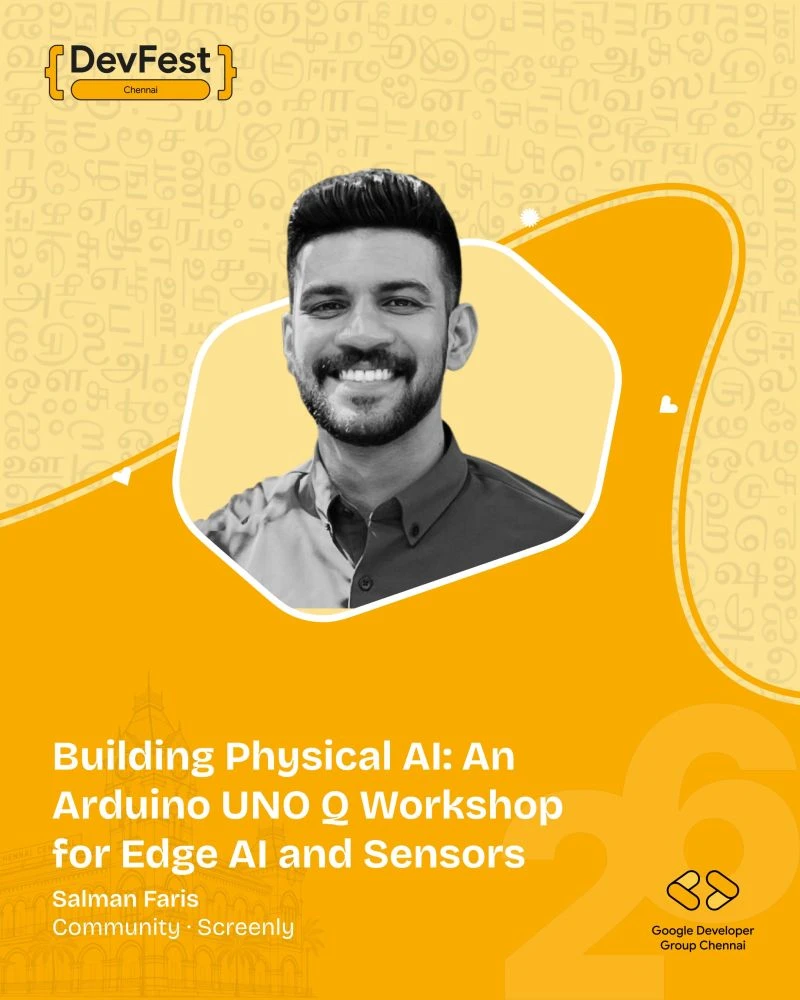
At DevFest Chennai, hosted by Google Developer Group Chennai, our Community Engineer Salman Faris ran a hands-on workshop, "Building Physical AI: An Arduino UNO Q Workshop for Edge AI and Sensors", wiring up real-world sensors and running Edge AI models on device with Edge Impulse. More on LinkedIn.

Next up, Salman is speaking at Ubucon India 2026 in Bengaluru on November 14-15. The talk, "Beyond the Breadboard: Scaling Raspberry Pi Projects to the Edge with Ubuntu Core", covers how Screenly uses Ubuntu Core to keep players reliable and secure in the field: edge deployments, secure boot, and remote management. More on LinkedIn.
How digital signage actually works: our open library
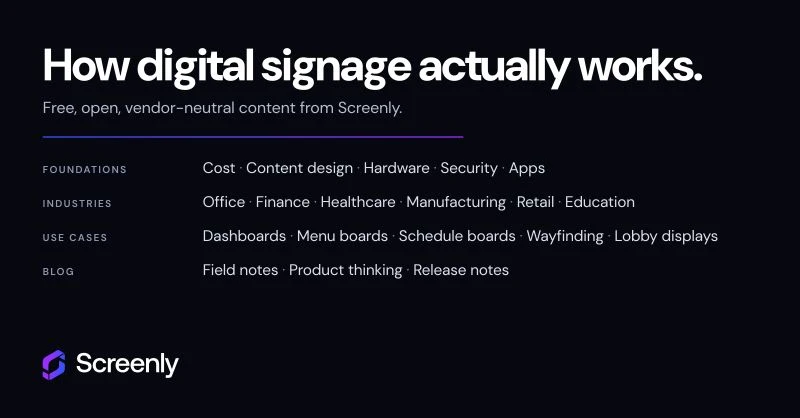
We've spent the past few months restructuring the guides on screenly.io into one library on how digital signage actually works. It's free and vendor-neutral, with no email, no lead form, and nothing gated.
- Foundations: plain guides on what digital signage is, the screens and players it runs on, the software behind it, content design, security, and what it all costs
- Industries: how signage works in offices, banks, hospitals, retail, manufacturing, schools, and more
- Use cases: breakdowns of dashboards, menu boards, schedule boards, wayfinding, lobby displays, and portable setups
Start with Foundations, or browse by industry.
New Anthias release: v2026.10.0
Anthias v2026.10.0 is all about reliability on real devices: background jobs keep running on a low-memory Pi, backups restore without corrupting the database, the screen comes up on a slow first boot, and players on the same playlist stay in sync.
Thanks to everyone who filed an issue or tried a build between releases.
Read more: Anthias v2026.07.2 to v2026.10.0: eight releases in three months
Love Anthias? Help spread the word
We're trying to make Anthias easier for new users to find. If it has been useful to you, could you spare 2 minutes to:
- Leave an honest review on G2. Candid feedback is welcome, rough edges included.
- Star the repo on GitHub.
More context on the forum: Help us spread the word about Anthias (2 minutes, no money involved)
Life at Screenly
We found each other in Kerala: Screenly Annual Summit 2026
At the end of September, 12 of us flew into Trivandrum and spent the week at The Leela Kovalam, on the southern tip of India. It was our first summit in South Asia, and India now joins Croatia, Portugal, Turkey, and Thailand on the list. A 30-minute team huddle turned into 2 hours on product strategy, and the rest of the week was shared meals, archery, volleyball, and a lot of very spicy food.
Win dela Cruz wrote up the whole week, from the huddle to the beach. Read it: We found each other in Kerala: Screenly Annual Summit 2026
From Slack handles to real faces
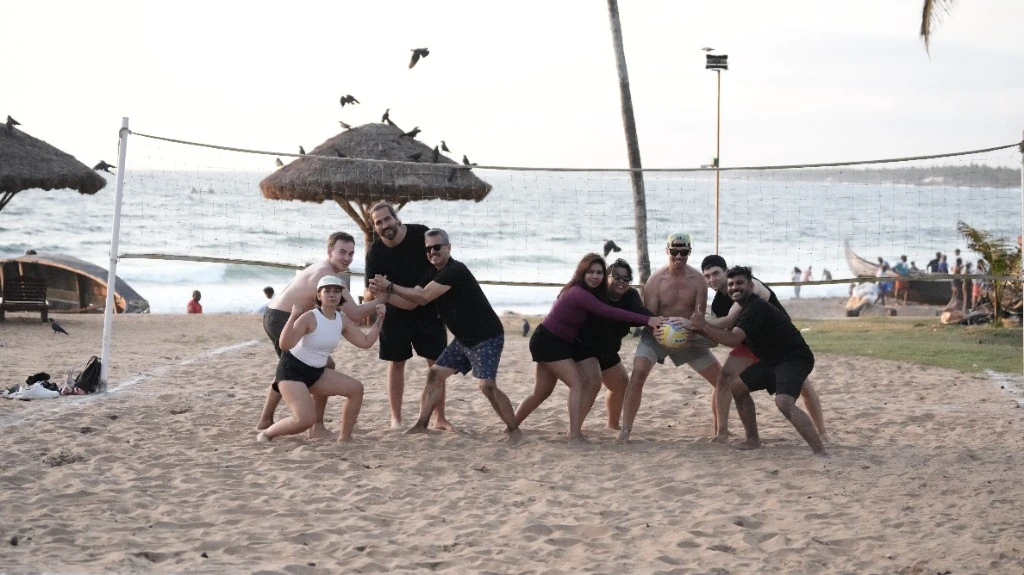
This one is about the summit through the eyes of our newest team members: Jamie, Carolyne, Ioann, and Sam met most of their teammates in person for the first time in Kerala. They share what changed when Slack handles became real faces, and how the team feels different after flying home.
Read it: From Slack handles to real faces: first-timers at the Screenly annual summit
That's it for this edition. Thanks for reading, and see you in the next Screenly Sync.