End-Users
4K & 1080p Full HD | End Users
Screenly supports content display in both 4K and 1080p Full HD resolution. Users can display image, video, web pages, and App content in both resolutions.
Be sure to understand your resolution requirements before purchasing digital signage player hardware. Screenly offers two digital signage players – the Screenly Player and the Screenly Player Max Mk 2. The Screenly Player can display 1080p Full HD content, and the Screenly Player Max Mk 2 can display content in both 4K and 1080p Full HD. Learn more about our digital signage players.
Content Caching | End Users
Digital signage players require an internet connection to receive content and scheduling updates from the user’s online account. That being said, it is unrealistic to expect the internet connection to be maintained 24/7 without interruption - even the best internet service provider has occasional network blips.
With Screenly, our digital signage players locally cache content playlists assigned to the digital signage player. With local caching, the digital sign can continue to operate even when the internet connection is lost.
Display Content | End Users
Screenly allows users to display content on a digital sign quickly and easily. This content can include images, videos, audio files, and even web page content. Additionally, users can build custom Screenly Apps to display content that integrates with their existing tech stack and business systems.
Screenly users can display content in both 1080p Full HD and 4K resolution. Additionally, users can display this content in both landscape (horizontal) and portrait (vertical) orientations. Most users display digital signage content in 16:9 aspect ratios, but it is possible to display content in other aspect ratios, too.
Group Labels | End Users
Group labels make it easy for users to manage multiple screens that share a similar purpose or locations. For example, users of a hotel chain may want to make a group label for “Lobby Screens”.
With the group label created, users can then add that group label to one or multiple playlists. These playlists then display on all screens associated with that group label, and the user does not have to add content to each screen individually.
Management Dashboard | End Users
Screenly makes it easy for users to manage their digital signs at scale. In the past, digital signs were monitored in-person, meaning that users were only identified of an issue if they saw a screen malfunctioning themselves or if somebody reported the issue.
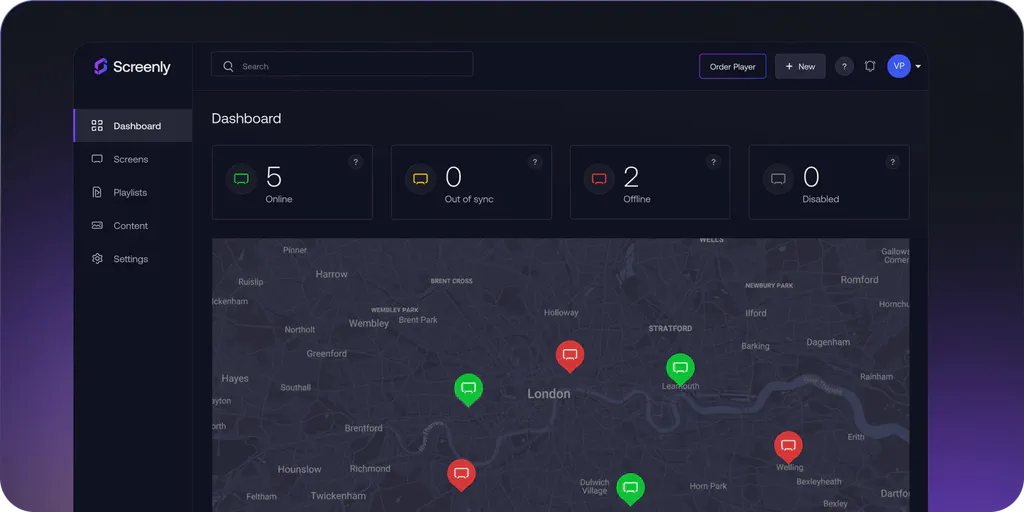
Today, the Screenly management dashboard allows users to manage the health of their digital signage fleet at a glance. When a user logs in to their online Screenly account, they can immediately see the health of their screens on a color-coded map.
Playlists | End Users
With playlists, users can easily organize and manage content on their digital signs. Playlists contain ordered content that can be of the same or different content types, including images, videos, audio files, web pages, and Apps.
Once users build their playlists, they can schedule these playlists to show a single time or on a repeating schedule, such as every Monday between 11:00 AM and 1:00 PM. Using playlist scheduling, users can take care of weeks or even months of digital signage content programming in a single sitting.
Portrait & Landscape | End Users
Screenly supports content display in both portrait (vertical) and landscape (horizontal) orientations. Most content is in 9:16 or 16:9 aspect ratios, however Screenly supports all aspect ratios.
Some digital signage content is best suited for portrait/vertical layout. This content includes digital signage menus and time tables, such as transportation arrival and departure boards. Other content is best suited for landscape/horizontal layout, such as data dashboards and internal company notices.
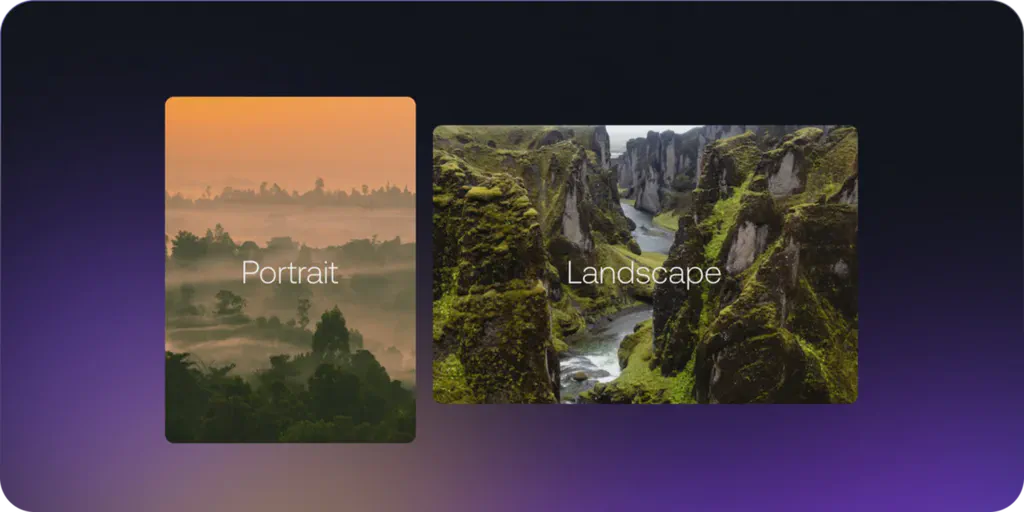
Importantly, Screenly users can change content orientation from their online dashboard on a screen-by-screen basis. Some screens in a digital signage fleet can display content in portrait layout, and other screens can display content in landscape layout.
Screenly Anywhere | End Users
Screenly Anywhere is our browser-based digital signage player that allows you to deploy hardware-agnostic digital signage.
This means that Screenly users can deploy digital signs to smart TVs, mini-PCs, desktop computers, mobile devices, and anything that can display a modern web browser.
This option allows users to deploy more quickly, as they don’t have to wait for dedicated digital signage players to be shipped to them. Additionally, Screenly Anywhere allows users to deploy more affordably, as teams can use hardware that they already own.
Display your best content with Screenly digital signs.
Get started today quickly and easily with Screenly's secure, enterprise-grade digital signage.
