Portable digital signage is for the screen that has to be somewhere else next week. A trade show booth, a pop-up, a festival stand, a conference lobby, or a roadshow all need screens that pack into a case, set up in minutes, run in a venue with no reliable network, and come home ready for the next event with different content.
This page covers digital signage for events from the kit in the van to the screen on the stand, including what hardware travels well, how to run screens without venue Wi-Fi, how to set up and tear down fast, how to reuse the same kit everywhere, and practical answers on renting hardware and running on battery power.
Why event screens are different
A screen in your own building has power, network, and a wall. A screen at an event has none of those guaranteed, and it has a deadline. The venue’s Wi-Fi is overloaded or paid, the power is wherever the stand builder put it, and the screen has to be working before the doors open.
Mobile digital signage is the discipline of designing for those conditions in advance. Content is loaded before you leave, the screen keeps playing whether or not the network cooperates, the kit is the same every time so setup is muscle memory, and the next event’s content is scheduled from the office rather than built on the show floor.
What travels well
The right kit is small, repeatable, and tolerant of being thrown in a case. Here is what tends to work.
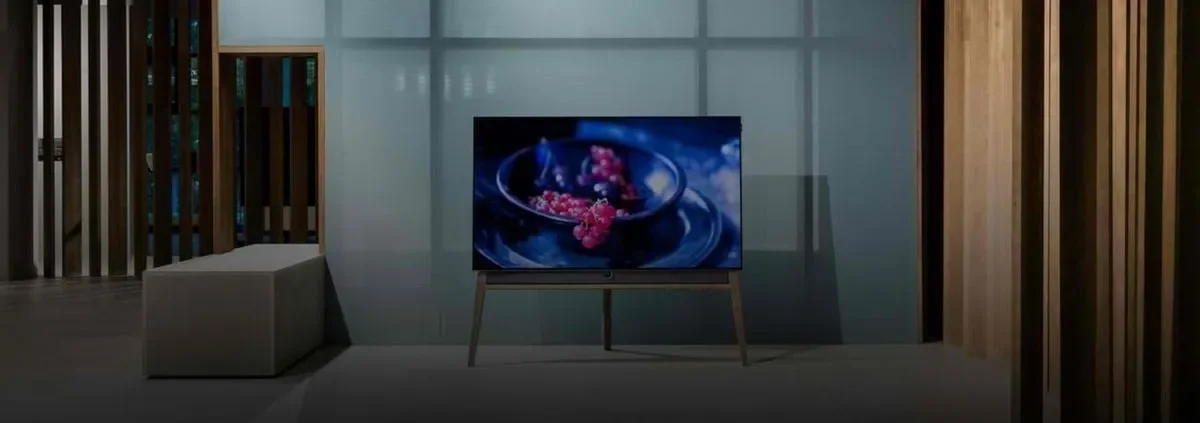
The screen. A mid-size commercial display or a sturdy consumer TV on a freestanding stand travels best, chosen for weight and brightness rather than size. Our displays guide covers brightness for bright halls and the choice between commercial and consumer screens.
The player. A Screenly Player ($219) is the reliable route, because it is small, mounts behind the screen, caches content, and recovers on its own when power is restored after a venue cut. For a lighter kit, Screenly Anywhere runs on the Amazon Signage Stick, on Android devices, and on supported smart screens, so a stick in a pocket can be the whole player at a venue with a reliable connection. On some Screenly Anywhere platforms, apps are drawn on our servers, so they need a connection to refresh.
The stand and the case. A stand that assembles without tools, a padded case for the screen, and a small bag for the player, cables, and a power strip make up the rest. The goal is one trip from the van.
Spares. Pack a second HDMI cable and a second power supply. The item that fails at an event is always the one you did not bring twice.
The kit should be identical for every event, because a kit you know is a kit you can set up while talking to the first visitor.
Running screens without venue Wi-Fi
The venue’s network is the thing you cannot control, so the setup assumes it is unavailable. Uploaded images, video, and PDFs are downloaded to the player and the schedule is saved on it, so once the kit has synced, that content keeps playing with no connection at all. Web pages and apps that pull live data need their source: they are skipped while it is unreachable, or show a fallback depending on the app, and rejoin the rotation when the connection returns. Anything that has to play no matter what belongs in the playlist as an uploaded file. The Screenly Player is the kit for a venue without Wi-Fi, because apps run on the device itself, while on some Screenly Anywhere platforms apps such as the QR code and countdown are drawn on our servers and cannot refresh without a connection. The practical routine is to connect the kit to a good network before leaving, let it sync, and confirm the content is playing, so the screen arrives at the venue already loaded.
For updates during the event, a phone hotspot gives the player enough connection to sync a change in a minute, and live-data apps such as a feed or a dashboard resume updating whenever a connection exists. For screens that need live content all day, a dedicated mobile hotspot is the reliable answer, and it travels in the same bag as the cables.
The rule is simple. Treat the venue network as a bonus, never as a dependency.
Setting up in twenty minutes and tearing down in ten
Event setup is a checklist, and the same checklist every time is the whole trick.
- Build the stand, mount the screen, and connect the player, in that order, with the power strip as the last connection.
- Confirm the screen is playing the pre-loaded content before unpacking anything else.
- Check the view from where visitors stand, and adjust height or brightness if the hall is brighter than expected.
- Walk away. Scheduling runs the content, and the player recovers on its own if power drops.
- Reverse the order at the end, with the player and cables packed first so they are the first thing out next time.
A kit that sets up this way is also a kit a colleague can set up without you, which matters on the day you are at two events at once.
Content that works on a stand
Event content is seen by people walking past at a distance, in a hall full of other screens, and it has to earn a stop in about two seconds.
One message per screen. The offer, the product, or the invitation goes in the largest type on the screen.
A reason to stop and a way to act. The QR Code Generator app puts a scannable code on screen with optional tracking, which is the simplest lead capture at a booth and the simplest way to know which event produced which signups.
Motion that draws the eye. A short looping video or one animated element stops more people than a static slide, and a loop of several messages beats one crowded screen.
Time and context. A Countdown Timer to a demo, a draw, or a talk, and a Welcome layout naming the event, make the stand feel live. Event programs and session times belong on a digital schedule board alongside.
Scheduled per event. Each event gets its own playlist and schedule in the dashboard, built from the office in advance, so the show-floor job is only to switch the screen on.
Our signage templates page has a promotion layout built for exactly this kind of screen.
Renting hardware versus owning it
Digital signage rental is a reasonable choice for a one-off event, and the real question is what to rent and what to bring.
Screens, stands, and cases rent well, because they are heavy, generic, and the rental industry is built around them. The player and the content do not need to be rented at all. A Screenly Player in your bag, or Screenly Anywhere on a stick you own, plugs into any rented screen with an HDMI port and shows your content with your scheduling, so the rented part is only the glass. The players are inexpensive enough that owning them makes sense from the first event.
For organizations that do several events a year, owning the whole kit pays for itself quickly, and the full numbers are on our digital signage cost page. For a single event, rent the screen and bring the player.
Taking a portable screen outside
Portable outdoor digital signage at markets, festivals, and sports events adds weather and daylight to the problem, and both are hardware problems. A standard screen under a canopy works in shade on a mild day, and a screen that faces sun or weather needs a high-brightness panel in an outdoor-rated enclosure, which rents well for one-off events. Our outdoor digital signage page covers the hardware in detail, and the player and content side is the same as indoors.
Running on battery power
Battery powered digital signage comes up for stands with no power drop, and the straight answer is that Screenly players and most screens need mains power. The working solution is a portable power station, meaning a large rechargeable battery with mains outlets, which can run a small screen and a player for a working day depending on the screen’s size and brightness. Check the screen’s power draw against the station’s capacity before relying on it, bring the charger, and prefer a smaller, dimmer screen when running on battery. Screenly does not sell power equipment, and this page names no products for it.
Where portable screens work
The same kit serves a surprising range of events, and the content is what changes.
Trade shows and exhibitions use the screen to stop traffic at the booth and the QR code to capture leads.
Conferences and roadshows put the program, the sponsors, and directions on screens, and our events case study shows a working deployment of 30 players at the Ubuntu Summit.
Pop-ups and temporary spaces use a screen in the window and one at the counter to do the job a permanent location’s screens do, for a week.
Markets and festivals give a stand’s screen the menu, the offer, or the program, often outside under a canopy.
Private and corporate events run a welcome screen, an agenda, and a countdown to the main moment from one small kit.
Sports and fitness events carry results, timings, and sponsor loops on screens that move with the event.
Whatever the event, the kit comes home, the content for the next one is already scheduled, and the screen is ready to go again.
Getting started
The first portable kit is a small purchase and an afternoon of practice. The path looks like this.
- Start a trial and pair a Screenly Player or a Screenly Anywhere device.
- Build the first event’s playlist from a template, with a QR code and a countdown.
- Load and test the kit at the office, confirming a Screenly Player keeps playing with the network unplugged.
- Pack the identical kit every time, with spares for the cables and the power supply.
- Schedule the next event’s content before this one ends, so the switch is a date in the dashboard.
From there, every event is a case out of the van and a screen that already knows what to show.
Frequently asked questions
What is portable digital signage?
Portable digital signage is a screen, a player, and a stand that travel to events, pop-ups, and temporary spaces. The kit sets up in minutes, runs from content loaded in advance, and comes home ready for the next event with different scheduled content.
Does portable digital signage work without Wi-Fi?
Uploaded images, video, and PDFs play without Wi-Fi, because they are downloaded to the player and the schedule is saved on it. Web pages and apps that pull live data are skipped while they cannot reach their source, or show a fallback depending on the app, and refresh once a connection returns. On some Screenly Anywhere platforms, apps are drawn on our servers, so they need a connection to refresh. Updates during the event need a phone hotspot or a mobile hotspot.
Can I rent screens and still use Screenly?
You can rent the screen and stand and bring a Screenly Player or a Screenly Anywhere device of your own. Any rented screen with an HDMI port shows your content with your scheduling.
Can digital signage run on battery power?
Players and screens need mains power, so battery operation means a portable power station with mains outlets. A small, dim screen and a player can run for a working day on a suitable station, and the screen’s power draw should be checked against the station’s capacity first.
What is the smallest portable kit?
The smallest kit is Screenly Anywhere on an Amazon Signage Stick or an Android stick, plugged into any screen with HDMI. The player fits in a pocket and the screen can be rented at the venue, but on some Anywhere platforms apps need a connection to refresh, so for a venue without Wi-Fi the smallest kit is a Screenly Player.
How do I reuse the same screens at different events?
Each event gets its own playlist and schedule in the dashboard, built in advance. The kit stays the same, the content switches on the scheduled date, and nothing is rebuilt on the show floor.
Pack once, show everywhere
Load the content before you leave, set the kit up the same way every time, and let the schedule do the rest. Screenly makes a screen that travels as easy to run as one that stays home.